










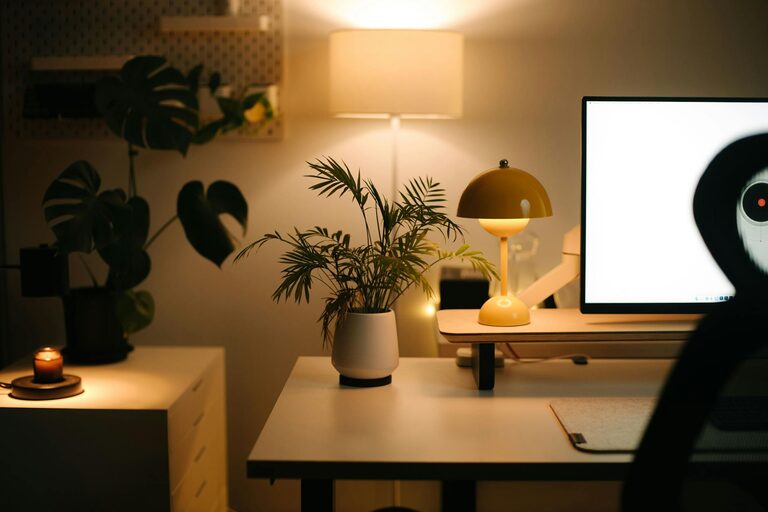
Setting up a home workspace that feels both cozy and productive is essential for anyone working remotely or simply needing a personal area for tasks. The right environment can boost focus, reduce stress, and make your workday more enjoyable. Whether you have a dedicated room or just a corner of your home, these tips will help you create a workspace that supports your best work while keeping comfort in mind.
Choose the Right Location
Finding the best spot in your home is the first step. Ideally, this space should be:
– Quiet: Minimize distractions by choosing a spot away from noisy areas like the kitchen or living room.
– Well-lit: Natural light is best, so try to find a place near a window. Good lighting reduces eye strain and improves mood.
– Ventilated: Fresh air helps keep your mind alert.
If space is limited, a compact nook or a section of a room can work, as long as it feels separate enough to focus.
Invest in Comfortable Furniture
Comfort is key to long-term productivity. Consider these furniture elements:
– Desk: Pick a desk that fits your space and has enough surface area for your computer, notebooks, and essentials.
– Chair: Ergonomics matter. An adjustable chair with lumbar support helps prevent back pain.
– Accessories: Footrests, monitor stands, or keyboard trays can improve posture and reduce strain.
Remember, the goal is to create a setup that keeps you comfortable and healthy as you work.
Organize Your Space Efficiently
A cluttered desk can lead to a cluttered mind. Here’s how to keep your workspace tidy:
– Use shelves or storage boxes for documents and supplies.
– Keep only daily essentials on your desk.
– Use cable organizers to prevent cords from tangling.
– Create zones for different tasks, such as a writing area and a computer zone.
Regularly declutter to maintain a calm, inviting environment.
Personalize Your Workspace
Adding personal touches makes your workspace more inviting and motivating. Try:
– Plants: They add life, improve air quality, and create a relaxing atmosphere.
– Artwork or photos: Choose images that inspire or comfort you.
– Cozy textiles: A soft rug, cushions, or a blanket can add warmth.
– Pleasant scents: A diffuser or candle can create a soothing ambiance.
Just be sure not to overcrowd your space to keep it functional.
Manage Lighting and Screen Glare
Proper lighting enhances comfort and reduces fatigue:
– Use a combination of natural and artificial light.
– Position your desk to avoid glare on screens.
– Consider an adjustable desk lamp with warm light for evening work.
Adjusting lighting according to the time of day can help maintain your energy levels.
Set Boundaries for Work and Relaxation
Especially when working from home, it’s important to separate work life from personal time:
– Define specific work hours.
– Use your workspace only for work to train your brain to associate the area with focus.
– When the day ends, clear your desk or close your laptop to signal the end of work.
This helps prevent burnout and maintains a healthy work-life balance.
Incorporate Technology Wisely
Use technology to boost productivity but avoid becoming overwhelmed by it:
– Optimize your Wi-Fi and computer setup.
– Use noise-cancelling headphones if needed.
– Keep your software and apps organized to minimize distractions.
– Consider a second monitor if your work involves multitasking.
Check regularly that your tech setup supports your needs without adding stress.
Take Breaks and Move
A cozy workspace isn’t just about sitting comfortably; it’s also about caring for your body:
– Stand up and stretch regularly to avoid stiffness.
– Try a standing desk or adjustable desk if possible.
– Include small reminders to refresh your eyes and mind.
Movement helps maintain energy and focus throughout the day.
—
Creating a home workspace that feels cozy and productive takes some planning, but the benefits to your work quality and well-being are well worth it. By choosing the right location, investing in comfortable furniture, staying organized, and adding personal touches, you can build a space that motivates you every day. Remember, a workspace should adapt to your needs and support a healthy routine, ensuring you enjoy both comfort and success in your home office.